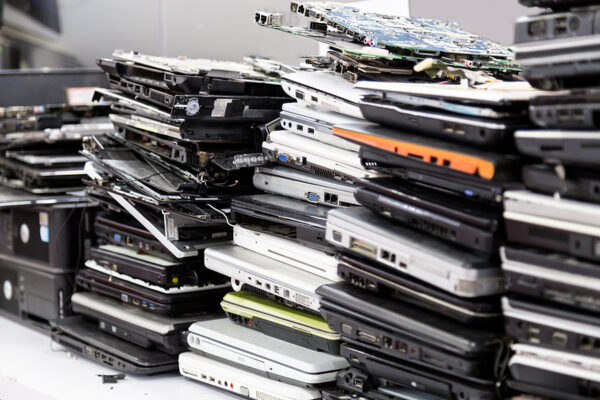
As much as you love your old laptop, it’s slowing down. You can’t find drivers that connect it to your MFC. Meetings with your remote team are impossible as your video lags too much. You also worry about security.
The thing is, your laptop still works; it just no longer meets your needs. You’d rather avoid disposing of it and adding to the waste stream, so you’re considering donation. How do you know when it’s better to recycle a laptop than to donate it?
When Is Laptop Recycling Better Than Donation?
With so many organizations looking for used laptops, donating often seems like the better idea. Computers for Learning ensures children in need of a laptop for school get a refurbished laptop from a government agency. Project SAGE refurbishes used laptops for victims of domestic violence.
Before you donate your laptop to an organization, make sure it’s suitable for donation.
Does the Device Work Correctly?
Does the laptop power on without issue? Is the battery able to hold a charge? If you can’t charge the battery, are you sure it powers on? Is it missing anything important, like the keyboard buttons? Does it have a cracked screen?
If the laptop needs major repairs or you’re unsure it works at all, recycling may be the better option.
Can You Still Update the OS and Other Essential Software?
If the computer is five years old or older, does the OS and essential software still get updates? If you can no longer update the printer or drivers, the laptop may be better suited to recycling.
What Do You Do With Your Laptop?
What is your laptop used for? If it’s a work laptop that has essential information like company financial records or patient files, you have to be incredibly careful about data deletion. Make sure you’re following CCPA, FERPA, GLBA, HIPAA, and other important regulations regarding consumer privacy.
How Old Is It?
Finally, how old is your laptop? If it’s a few years old, donating it is a great way to give it a full life. If it’s 11 years old, it’s likely too old for some essential updates, and the technology is outdated. Recycling is a better idea.
Always Protect Your Data Before Donating Electronics
If you decide to donate your laptop, make sure you’re protecting yourself from theft. Even if you’ve deleted files from your folders, the information may still be there for someone with the right skills to retrieve it.
Items like tax forms, stored passwords, scans of documents like a driver’s license or credit card, business paperwork, and contracts are all too important to risk. Take steps to protect your data before you hand over your laptop to anyone else.
Backup Your Files to an External Drive or Cloud Service
Start by reviewing your files and photos, and back up anything you want to keep. Use a cloud service or external hard drive to back them up.
Sign Out of Accounts and Deauthorize Devices
Go to any website where you permit devices and deactivate them. Virus protection software is a good place to start. Sign out of all accounts when you’ve completed that step.
Turn Off Any Tracking Tools
If your laptop is tied to any tracking tools, turn them off. Make sure you’ve deleted the connection with everything.
Remove Physical Media
Remove any thumb drives, wireless dongles, and SD or microSD cards.
Turn on Full-Disk Encryption
If your laptop supports it, turn on full-disk encryption. If your device still has data on it, an encryption key is needed to retrieve it. You can turn it on in Windows 11 if you log in as an administrator.
Perform a Factory Reset
Once everything else is done, go to Settings and perform a factory reset. It restores the laptop to the condition it was in when you got it.
Consider the Value in Professional Data Destruction
If these steps feel out of your comfort zone, you can hire a data destruction expert. ERI provides ITAD services that follow government standards, even if you need top-secret, military-level data destruction.
Tips for Choosing a Certified Electronics Recycling Partner
Don’t trust just anyone with electronics recycling. Make sure you choose a certified recycling partner that protects both your privacy and the environment.
Ask About Downstream Vendors
Find out who the company partners with for transportation, recycling, and refurbishing/resale programs. Make sure these downstream vendors are as trustworthy as the electronics recycler.
Look for These Key Certifications
When a company is certified, it undergoes surprise inspections to maintain its certifications. Because they’re unscheduled, they’re a good indicator of a business’s standard operating procedures. Look specifically for these certifications:
AICPA SOC 2 Type II – Evaluates a company’s information security.
e-Stewards – Evaluates environmental and social responsibility by banning e-waste from going to developing countries.
ISO 9001 – Evaluates a company’s consistency in meeting regulatory requirements.
ISO 14001 – Ensures a company is doing everything possible to prevent pollution and reduce waste.
ISO 45001 – Evaluates a company’s dedication to a safe, healthy workplace.
NAID AAA – Ensures that data destruction is complete, employees have undergone rigorous background checks, and facilities are secure.
R2v3 – Requires companies to reuse, recover, and recycle the e-waste they process using methods that protect data security, provide accountability for all downstream vendors, and protect workers and the environment.
Verify That You Can Track Chain of Custody
When items are dropped off or picked up at your home or office, how do you track them? Make sure you can track progress as the item reaches a facility, enters data destruction, is valued to see if any parts can be reused, and moves to the final stage of shredding and recycling or resale after refurbishing.
Be Cautious With Free Services
Free electronics recycling isn’t as safe as you might think. If it’s with a reputable vendor, it’s a great way to recycle. However, some of these free programs send electronics overseas without first destroying the data. Your private information could end up in the wrong hands, or items are processed in countries where pollution controls aren’t as stringent as they should be.
ERI is the largest electronics recycler in the U.S. We specialize in ITAD and invest in advanced recycling that focuses on critical materials like rare earth elements. We’re happy to recycle laptops using data destruction measures that ensure nothing is left behind.
With our prepaid recycling boxes, pay a small fee, send us your laptop, and enjoy serialized tracking to our nearest facility. You don’t even have to leave your home or business. We partner with UPS for pickup at your address and delivery to ours.